
01
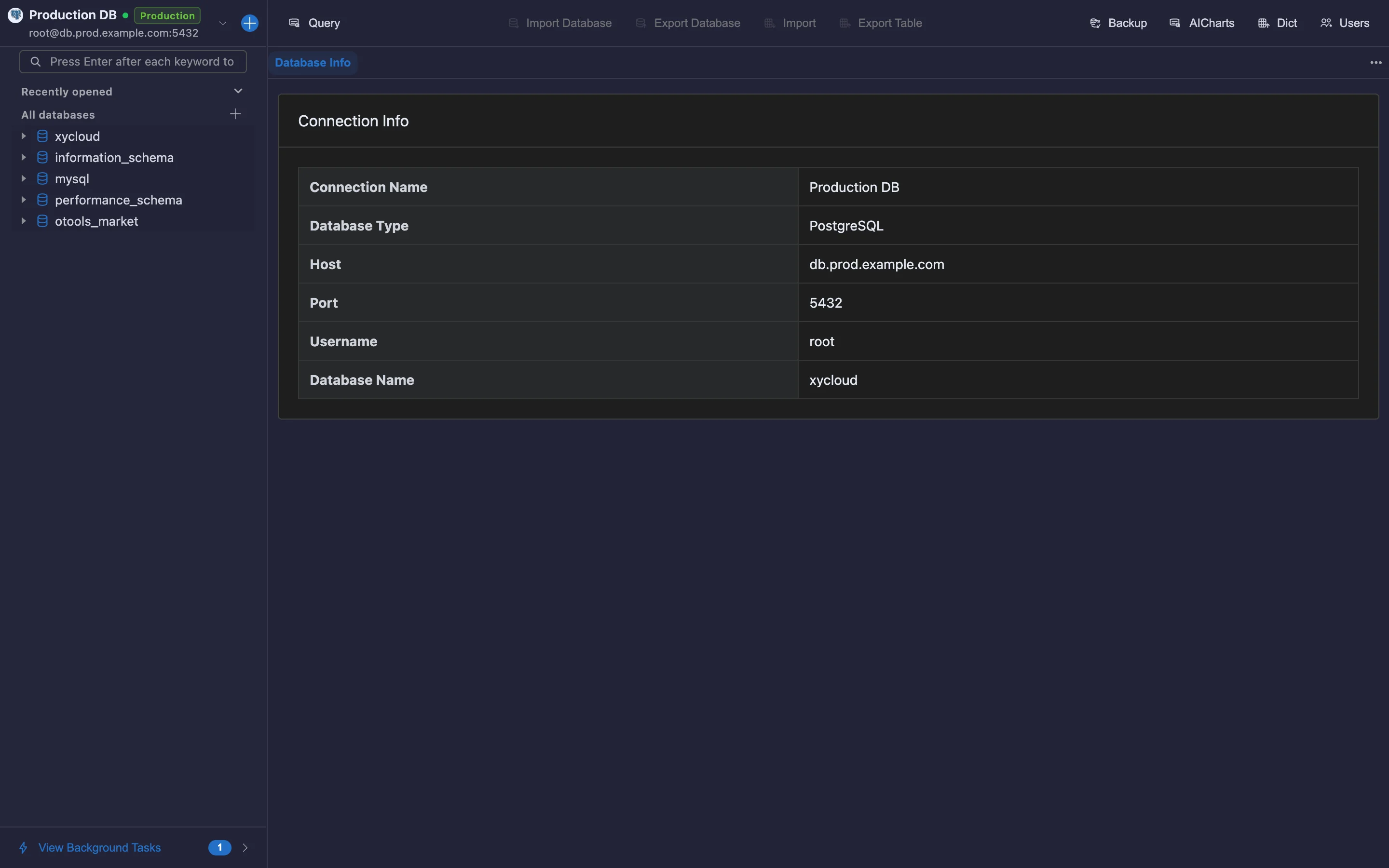
Every engine, one list
Relational, document, key-value, columnar and analytical databases in a single list, with environment tags to avoid mistakes.
 Built-in plugin
One client for every database
MySQL / PostgreSQL / Redis / MongoDB / ClickHouse… unified connections, SQL workbench, schemas and backups.
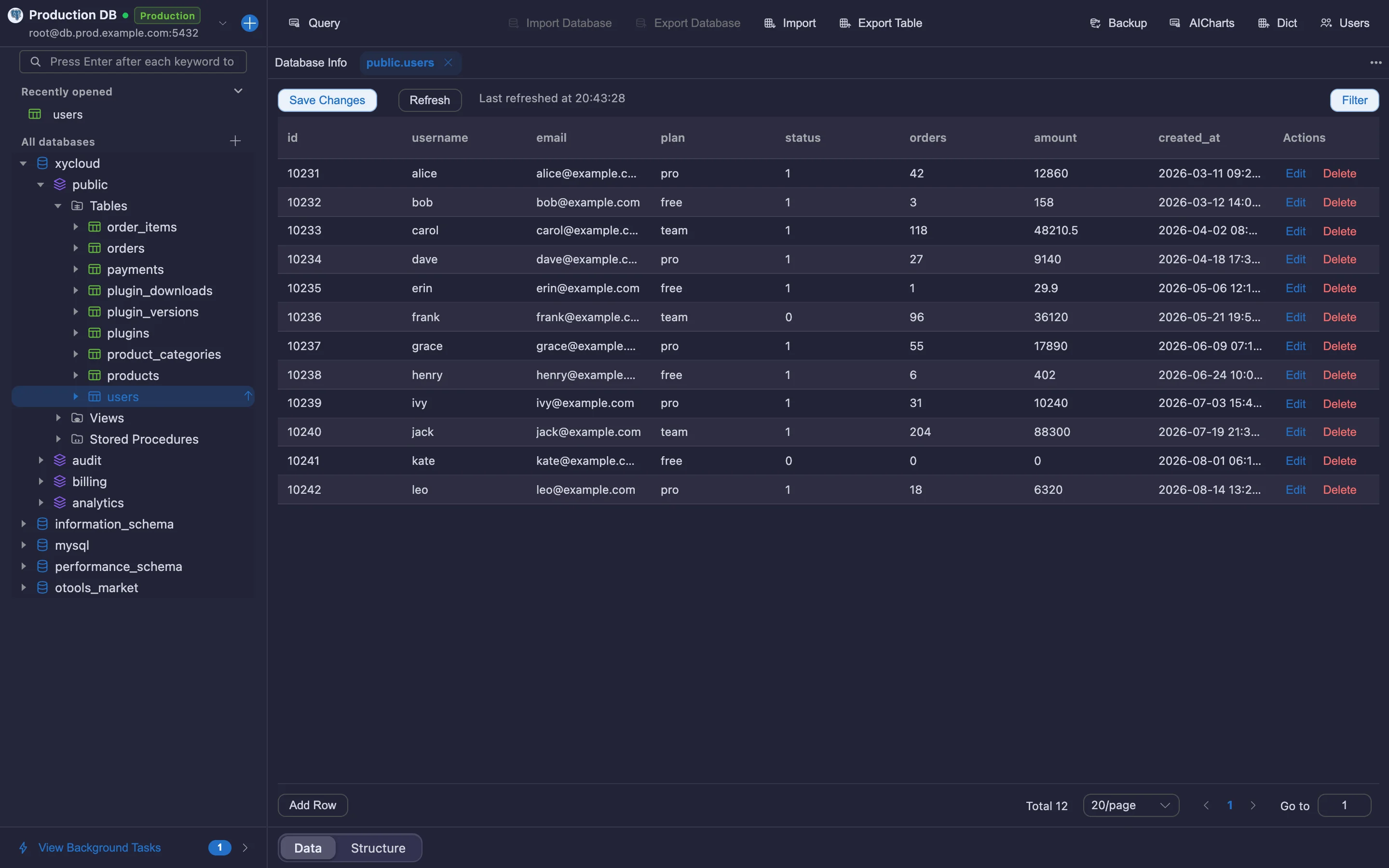
All screenshots are rendered from the real plugin UI (2x hi-res).
Every capability comes with a real screenshot — see what it looks like in daily work.
Relational, document, key-value, columnar and analytical databases in a single list, with environment tags to avoid mistakes.
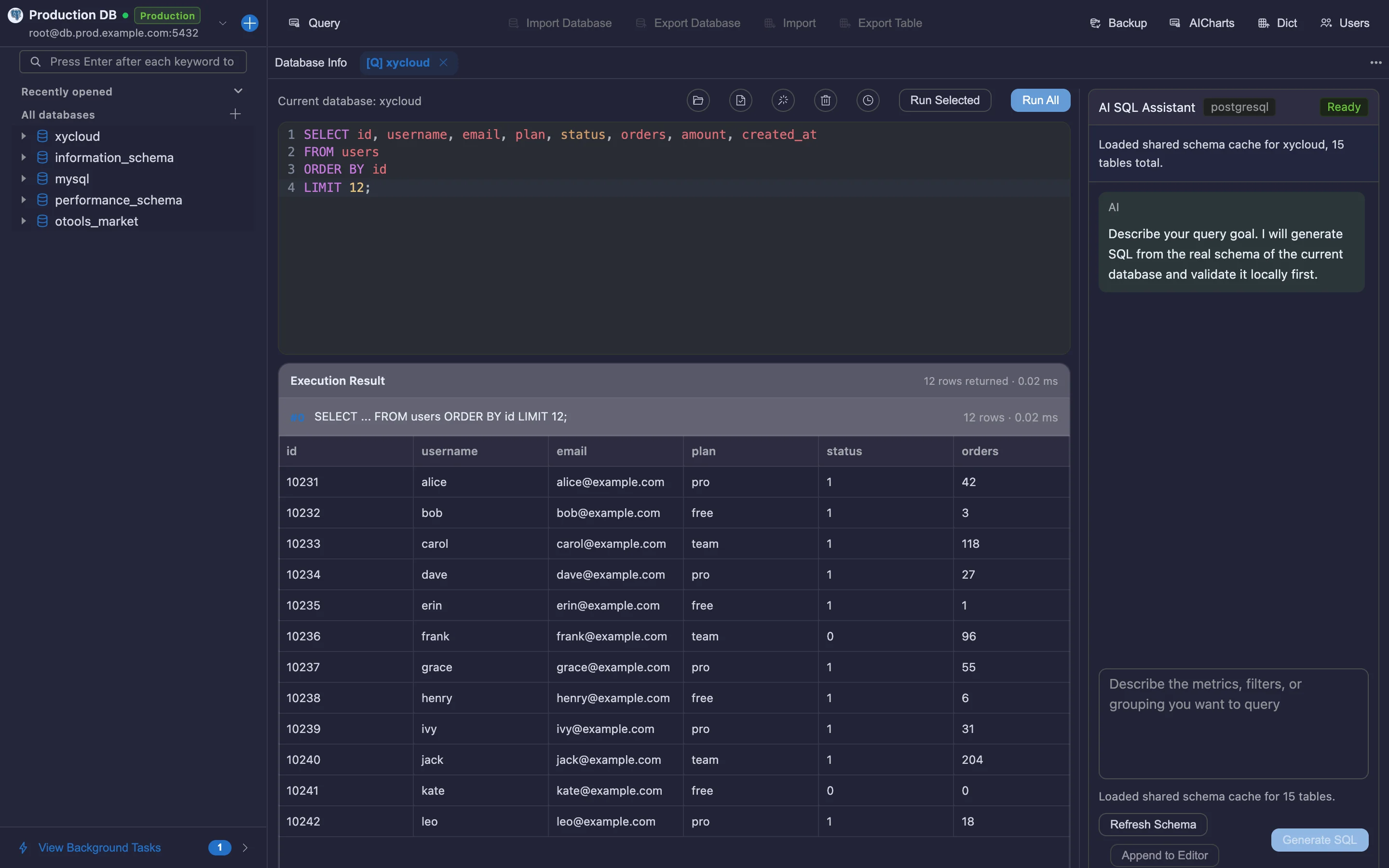
Tabbed SQL editing, execution plans, paged results and export — smooth even on large result sets.
Browse every table, column and index at a glance, and jump straight to the data you need.
Details refined for daily use — not a checklist of features.
Relational, document, key-value, columnar and analytical databases in a single list, with environment tags to avoid mistakes.
Tabbed SQL editing, execution plans, paged results and export — smooth even on large result sets.
Browse every table, column and index at a glance, and jump straight to the data you need.
Visual backup plans, cross-database sync and data dictionary export without writing scripts.
A focused app that does just this, or a plugin inside your existing OTools workspace?
A dedicated desktop app with the same engine but only this plugin’s features. Double-click and go — no OTools required.
Installers live on GitHub Releases; built-in auto-update.
Add it to your existing OTools and work alongside your other tools, sharing tabs and shortcuts.
The plugin updates together with OTools.