
01
Multi-repo workbench
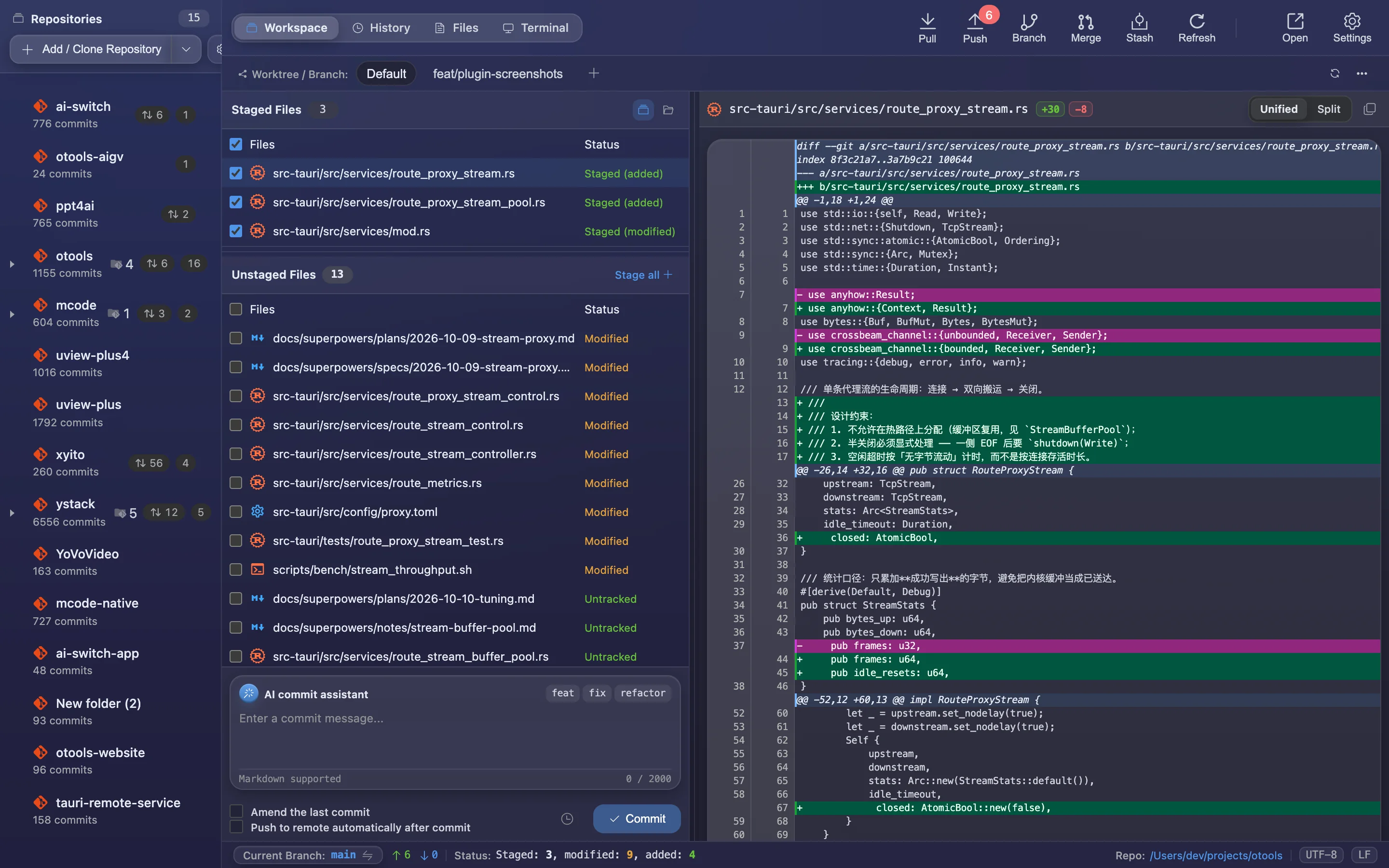
Manage a dozen repos at once: commit counts, ahead/behind and pending changes — expand to see submodules.
 Built-in plugin
Git, inside your workspace
Multi-repo overview, staging, commit history and side-by-side diffs — the everyday flow without switching to a terminal.
All screenshots are rendered from the real plugin UI (2x hi-res).
Every capability comes with a real screenshot — see what it looks like in daily work.
Manage a dozen repos at once: commit counts, ahead/behind and pending changes — expand to see submodules.
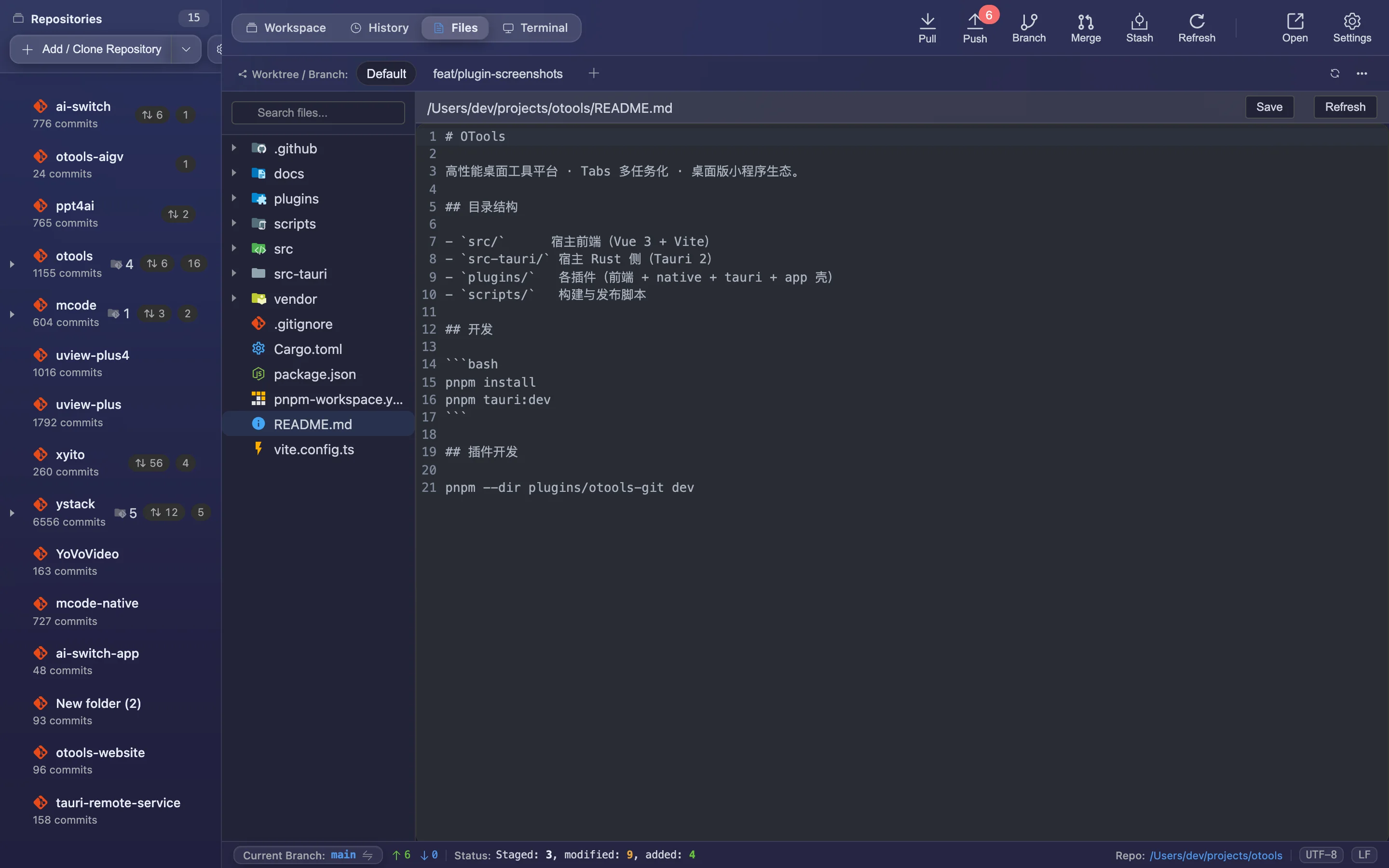
Browse and open repository files from the tree, edit and jump straight back to the changes list to stage.
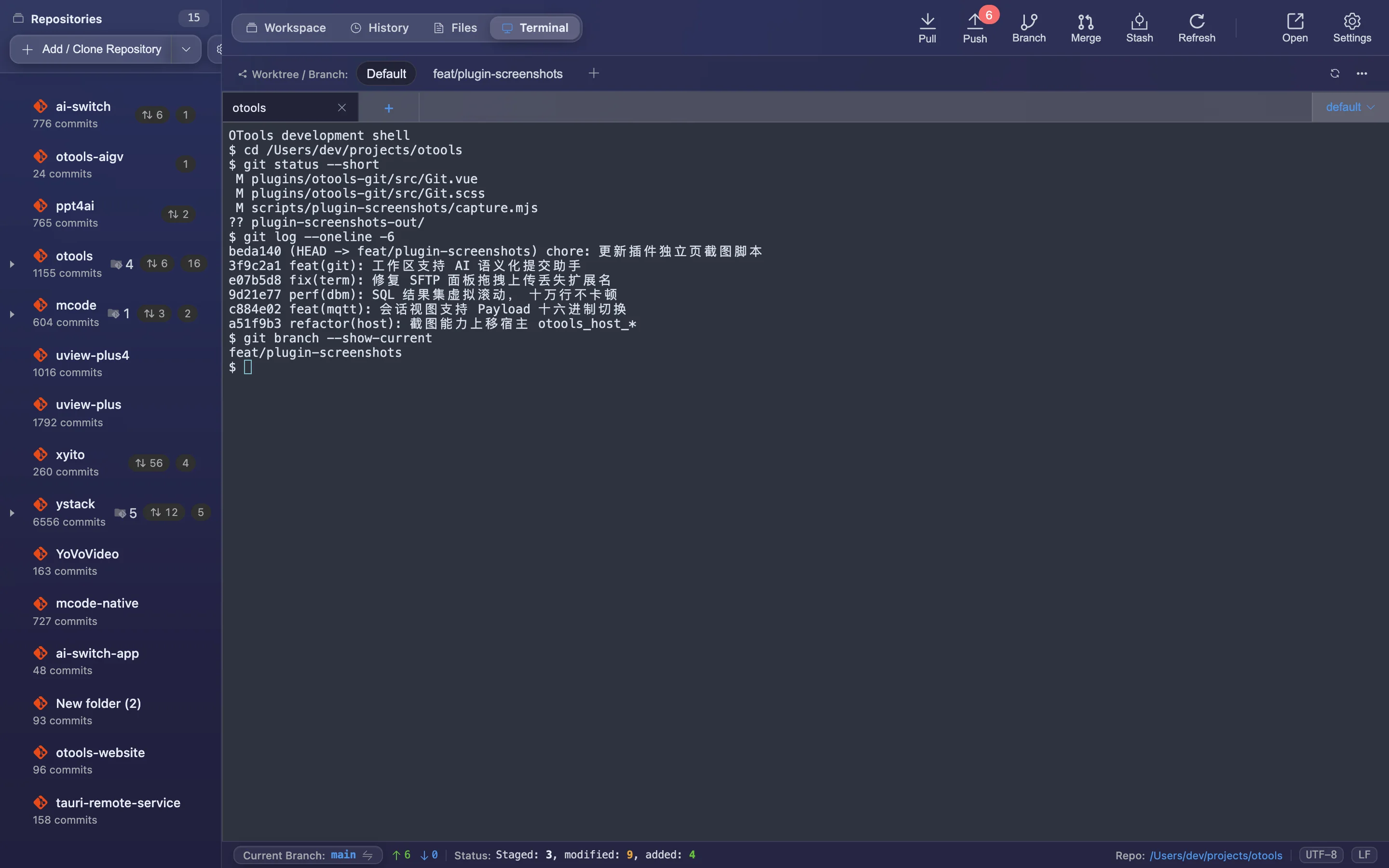
Run git commands in the same window and switch directories with the repo context — no separate terminal.
Details refined for daily use — not a checklist of features.
Manage a dozen repos at once: commit counts, ahead/behind and pending changes — expand to see submodules.
Browse and open repository files from the tree, edit and jump straight back to the changes list to stage.
Inline or side-by-side, with per-hunk or per-line reset from the context menu.
Generate conventional commit messages from staged changes, with your own template and style.
Run git commands in the same window and switch directories with the repo context — no separate terminal.
A focused app that does just this, or a plugin inside your existing OTools workspace?
A dedicated desktop app with the same engine but only this plugin’s features. Double-click and go — no OTools required.
Installers live on GitHub Releases; built-in auto-update.
Add it to your existing OTools and work alongside your other tools, sharing tabs and shortcuts.
The plugin updates together with OTools.