
01
Slide editing
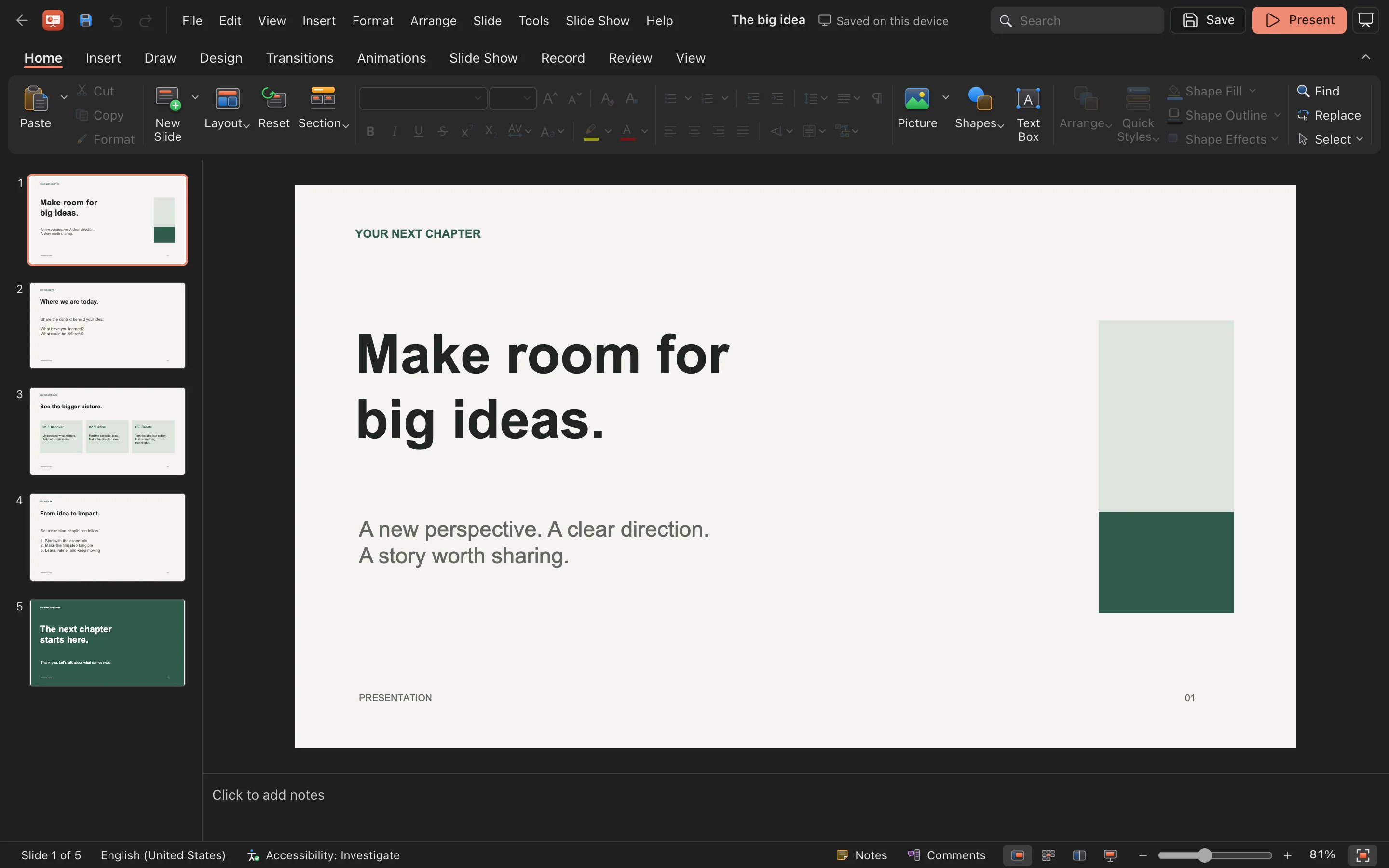
Add, reorder and restyle slides; place text and shapes freely.
 Built-in plugin
Presentations in your workspace
Edit, design and present in one window. Projects stay local so you can pick up where you left off.
All screenshots are rendered from the real plugin UI (2x hi-res).
Every capability comes with a real screenshot — see what it looks like in daily work.
Add, reorder and restyle slides; place text and shapes freely.
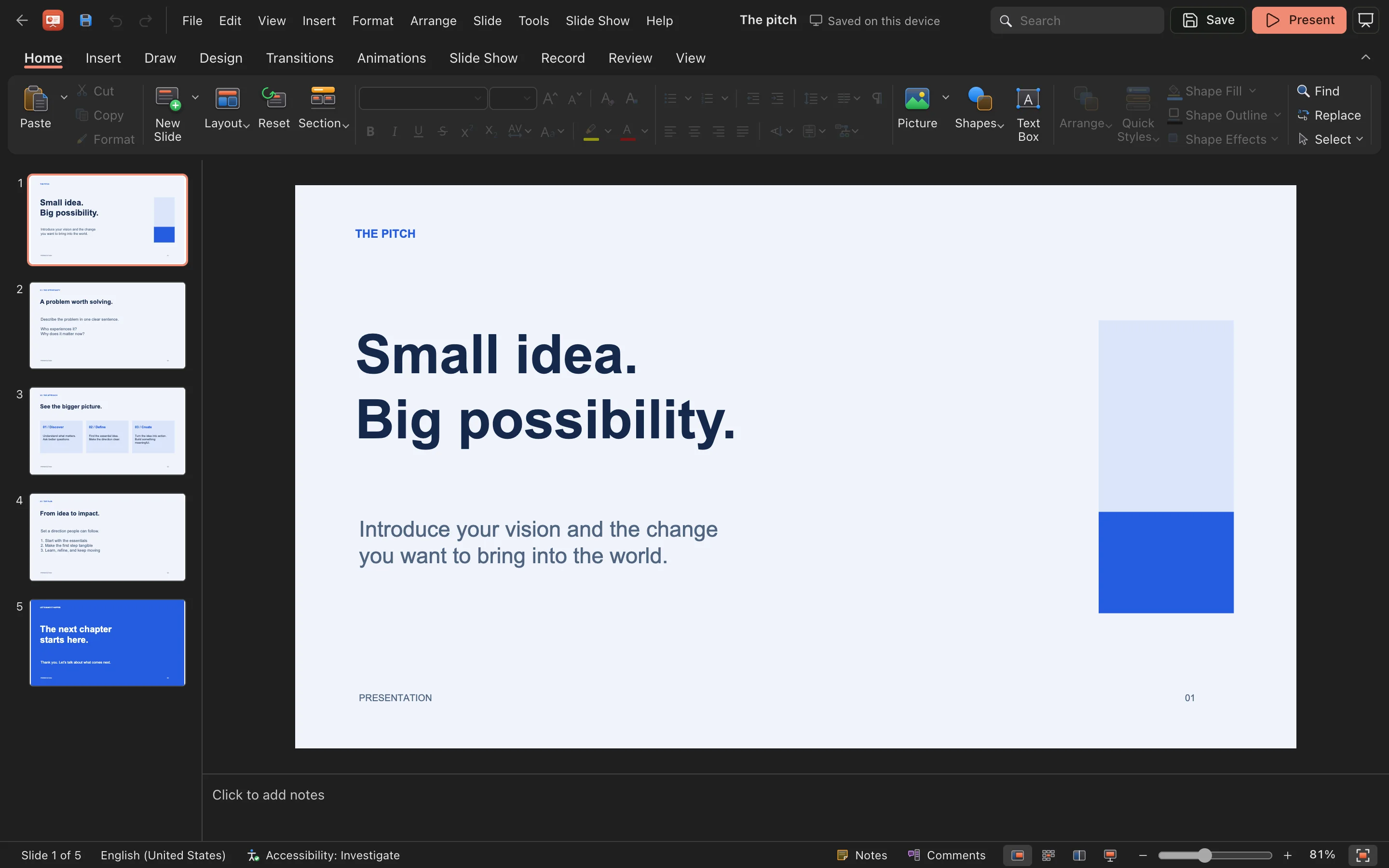
Built-in themes and quick styles for a consistent deck.
Details refined for daily use — not a checklist of features.
Add, reorder and restyle slides; place text and shapes freely.
Built-in themes and quick styles for a consistent deck.
Animate elements and add slide transitions.
One click to full-screen presenting with speaker notes.
One-click install from the OTools plugin marketplace — works alongside your other tools in the same workspace.
Add it to your existing OTools and work alongside your other tools, sharing tabs and shortcuts.
A standalone app is on the way — install the plugin from the OTools market today.