
01
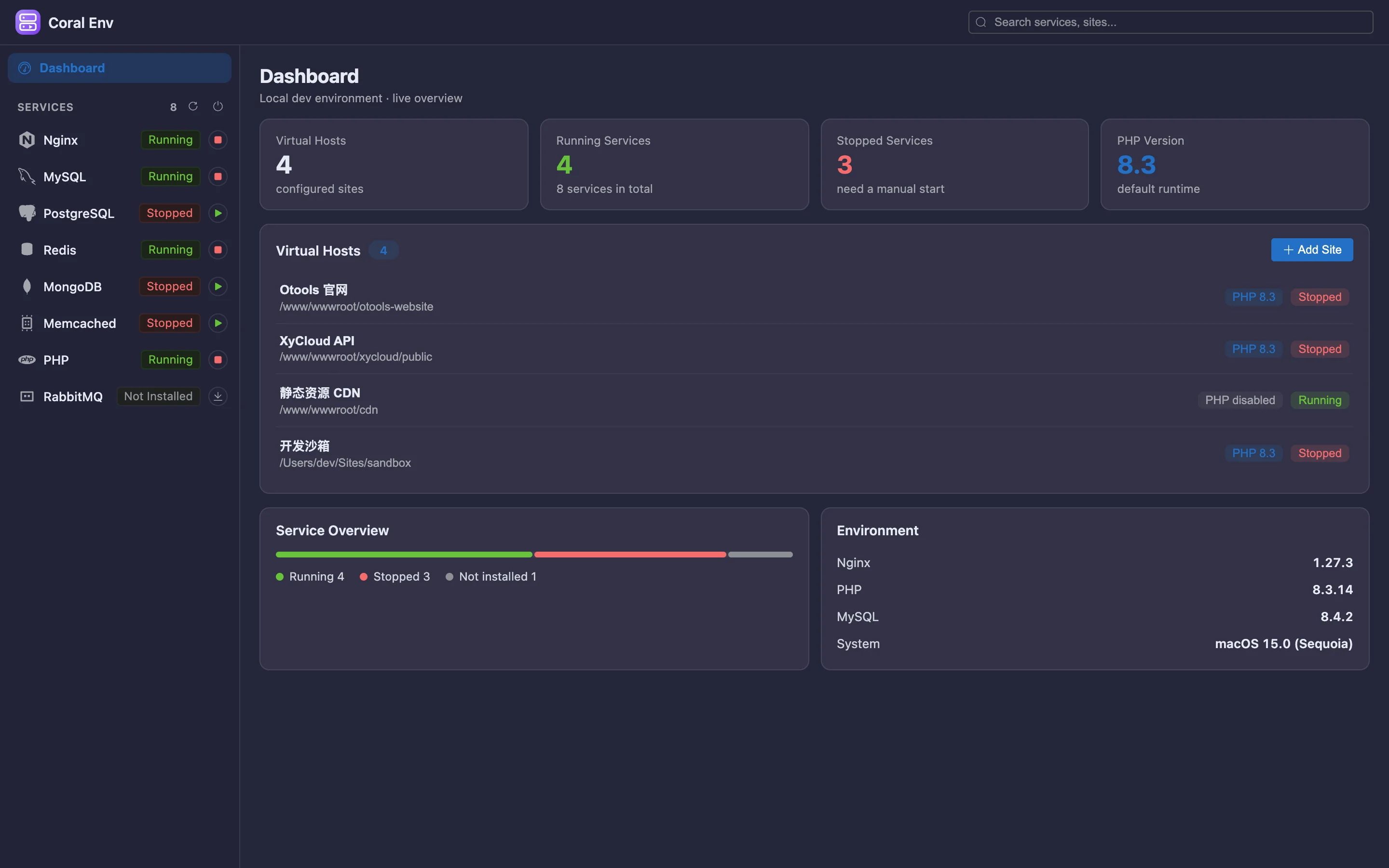
Service overview
Install state, run state, ports and versions in one place — no need to remember commands.
 内置插件
内置插件Every local service on one panel
Nginx / MySQL / PostgreSQL / Redis / PHP… start and stop with one click, inspect versions and logs, and manage virtual hosts.
All screenshots are rendered from the real plugin UI (2x hi-res).
Every capability comes with a real screenshot — see what it looks like in daily work.
Install state, run state, ports and versions in one place — no need to remember commands.
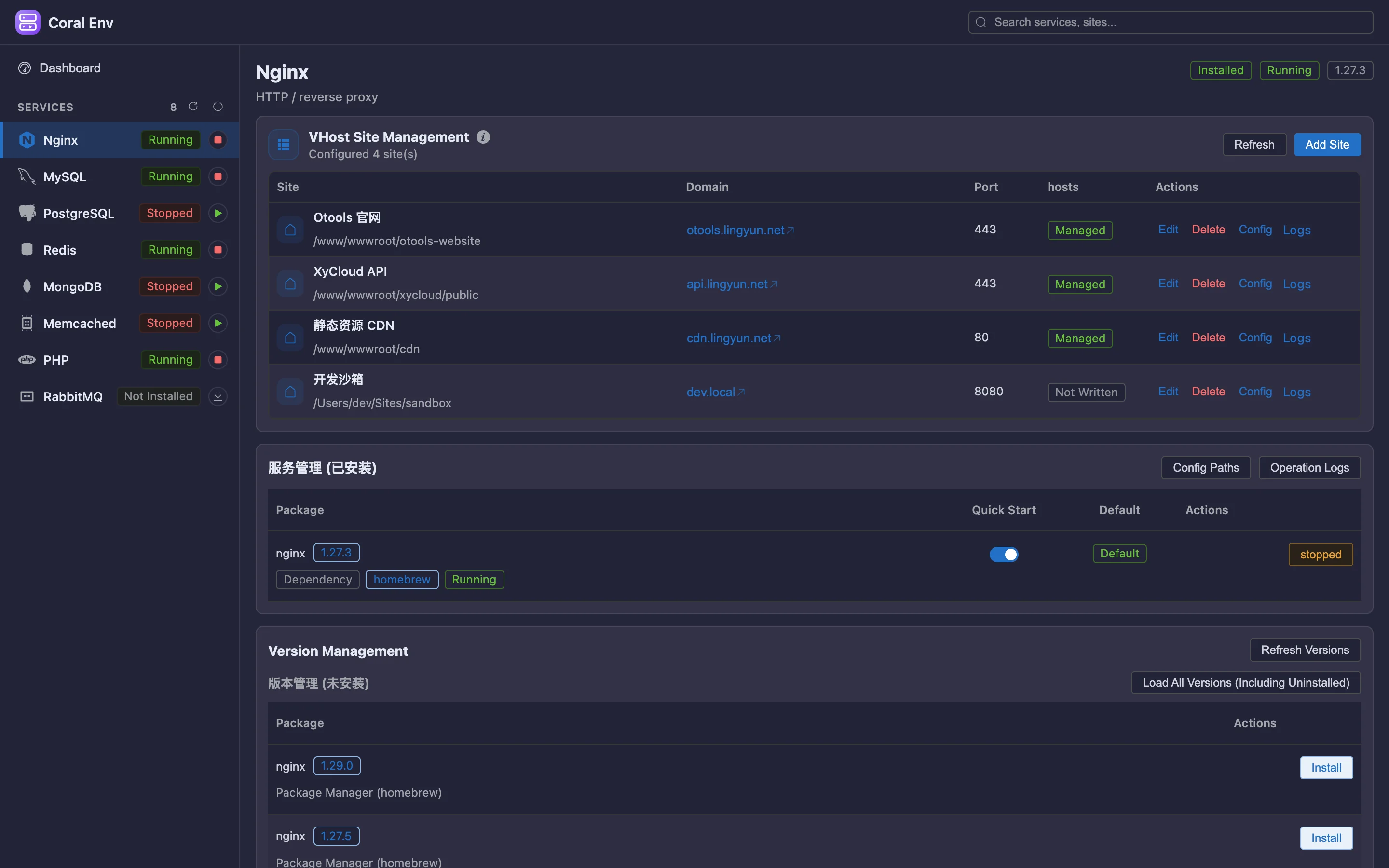
Visual Nginx vhost editing; domain, document root and SSL are all in one view.
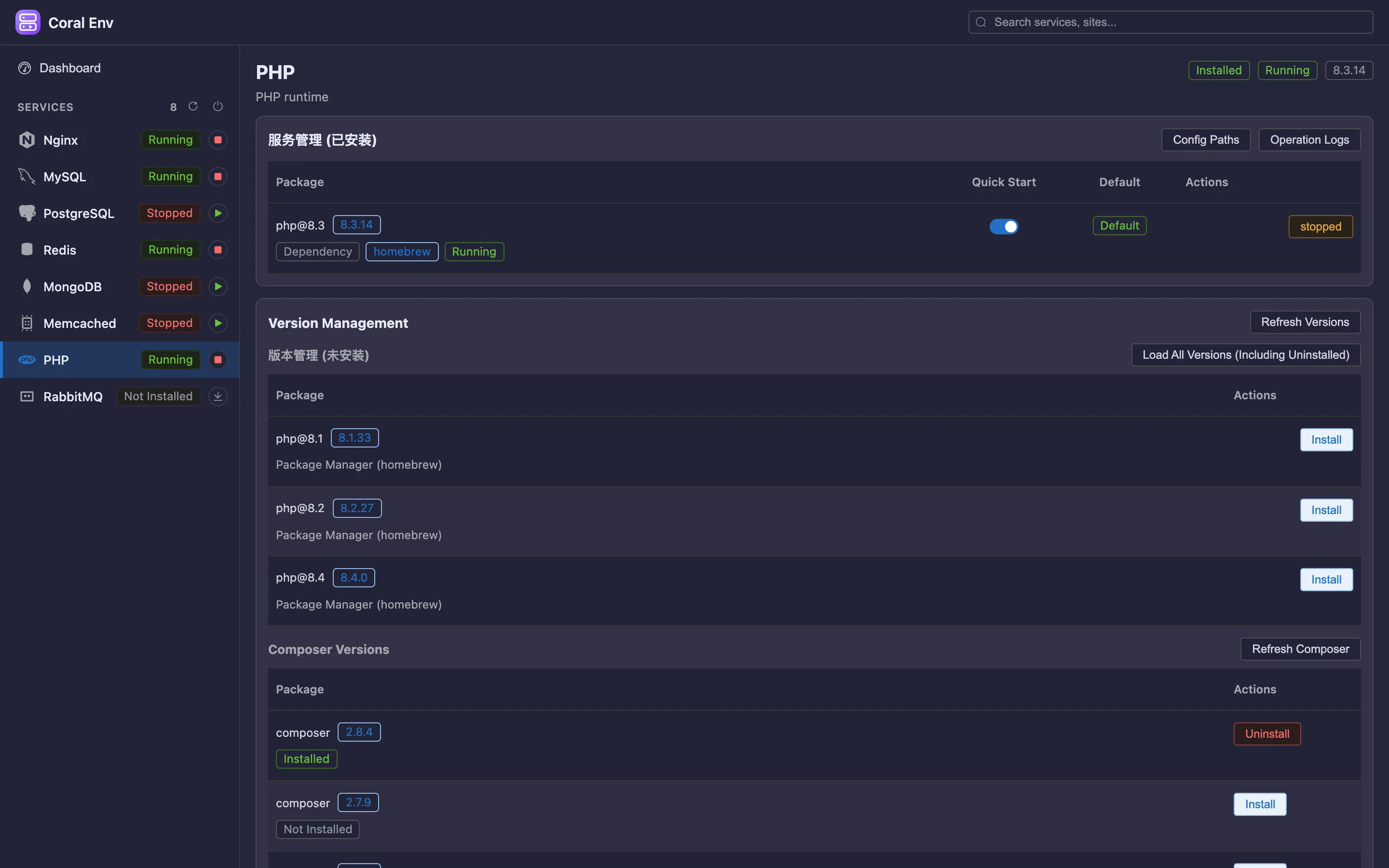
Coexisting PHP versions with switching, plus Composer version detection and updates.
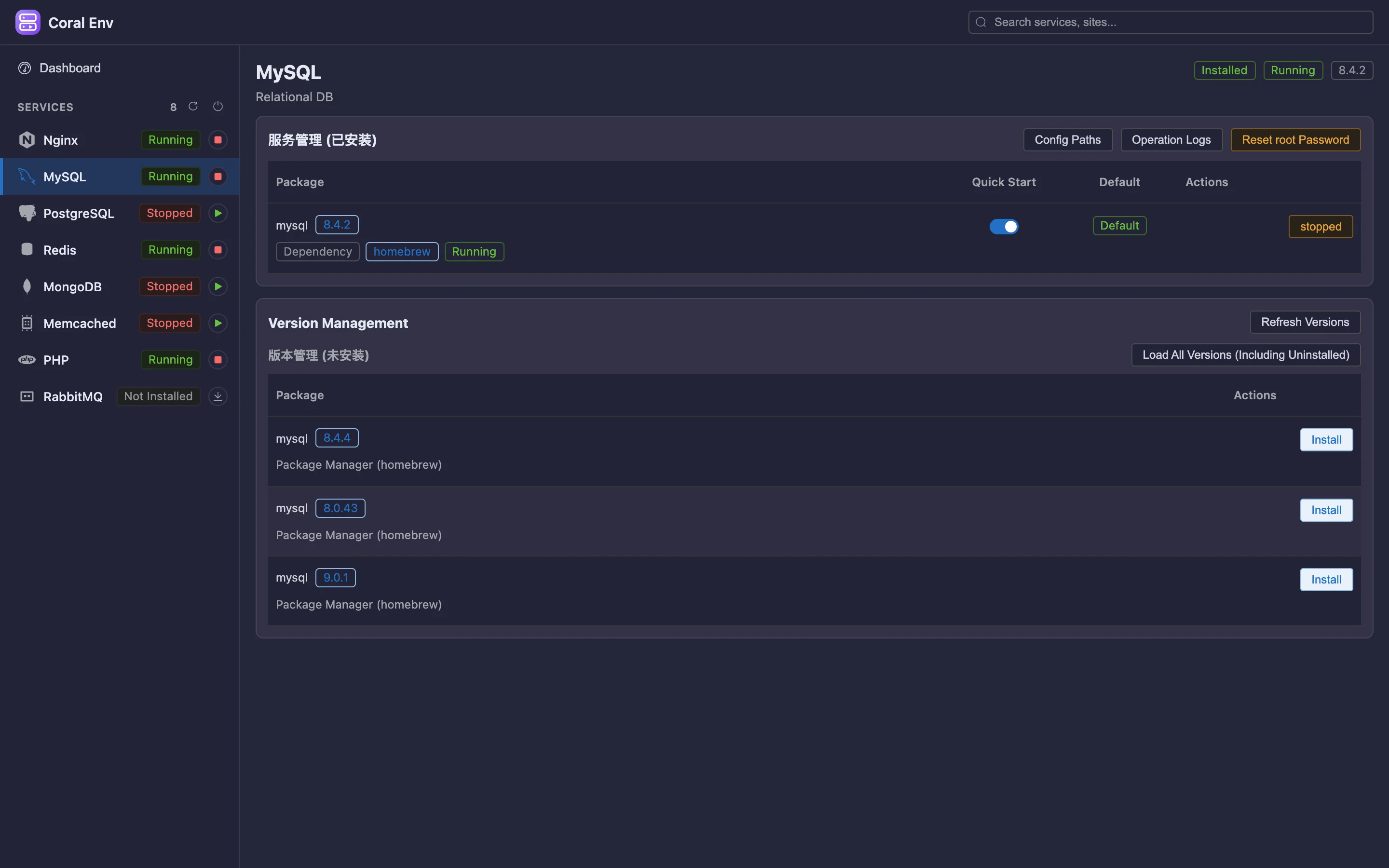
Start, stop or reload a single service; browse and edit nginx/mysql/php/redis configs online, with one-click rollback of changes.
Details refined for daily use — not a checklist of features.
Install state, run state, ports and versions in one place — no need to remember commands.
Visual Nginx vhost editing; domain, document root and SSL are all in one view.
Coexisting PHP versions with switching, plus Composer version detection and updates.
Start, stop or reload a single service; browse and edit nginx/mysql/php/redis configs online, with one-click rollback of changes.
A focused app that does just this, or a plugin inside your existing OTools workspace?
A dedicated desktop app with the same engine but only this plugin’s features. Double-click and go — no OTools required.
Installers live on GitHub Releases; built-in auto-update.
Add it to your existing OTools and work alongside your other tools, sharing tabs and shortcuts.
The plugin updates together with OTools.